Before installation, review Agent Hardware Requirements.
1. Create an Agent Setup Task
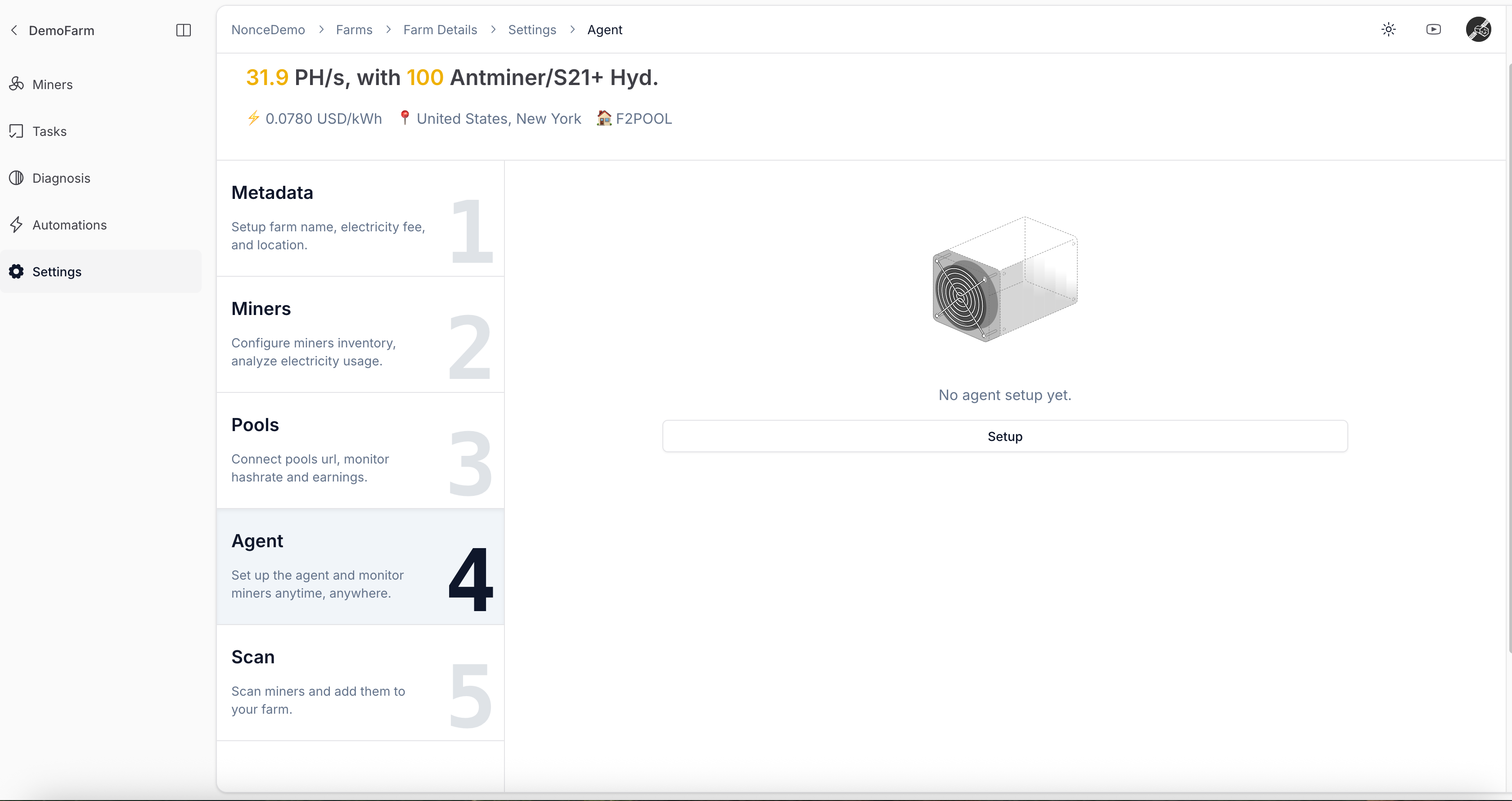
- In the farm setup wizard, open the Agent tab and click Setup.
- If no Agent exists yet, register a new Agent first.
2. Run the Installation Command
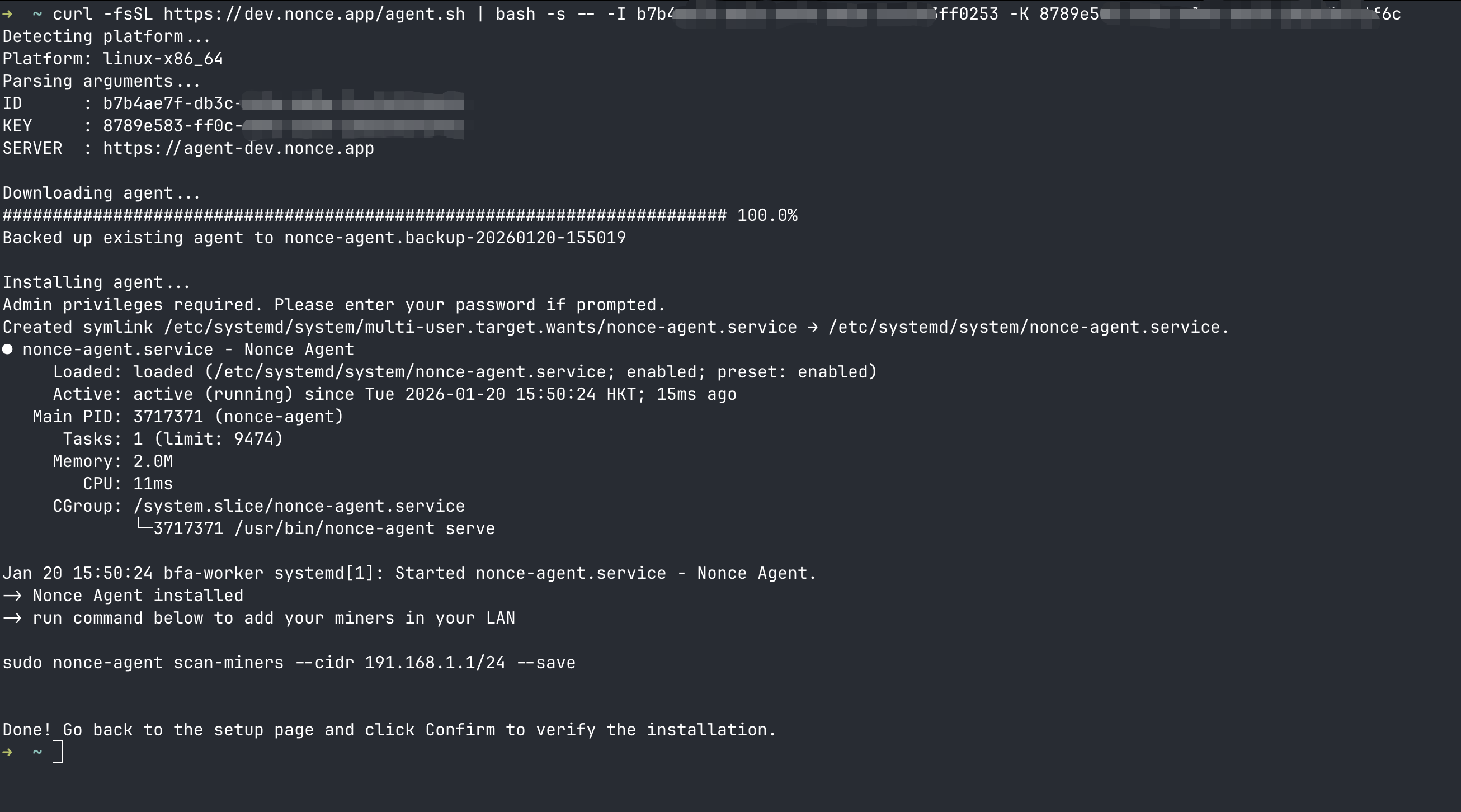
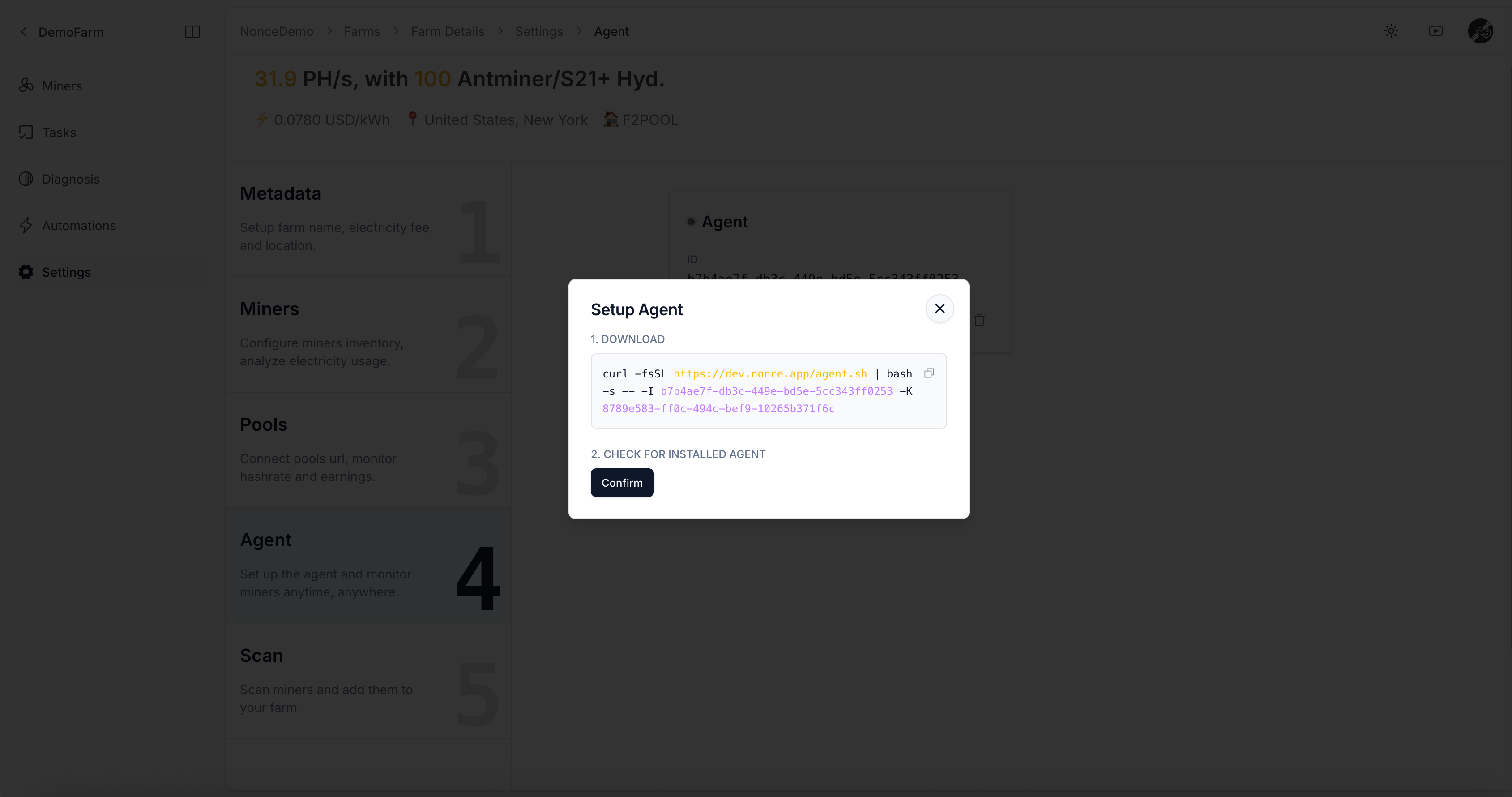
- Copy the generated shell command.
- Run it on a server or PC that can access your miners over the network.
If your miner password is not the default, read What if my miner password has been changed from the default? before continuing.
3. Confirm and Verify Online Status
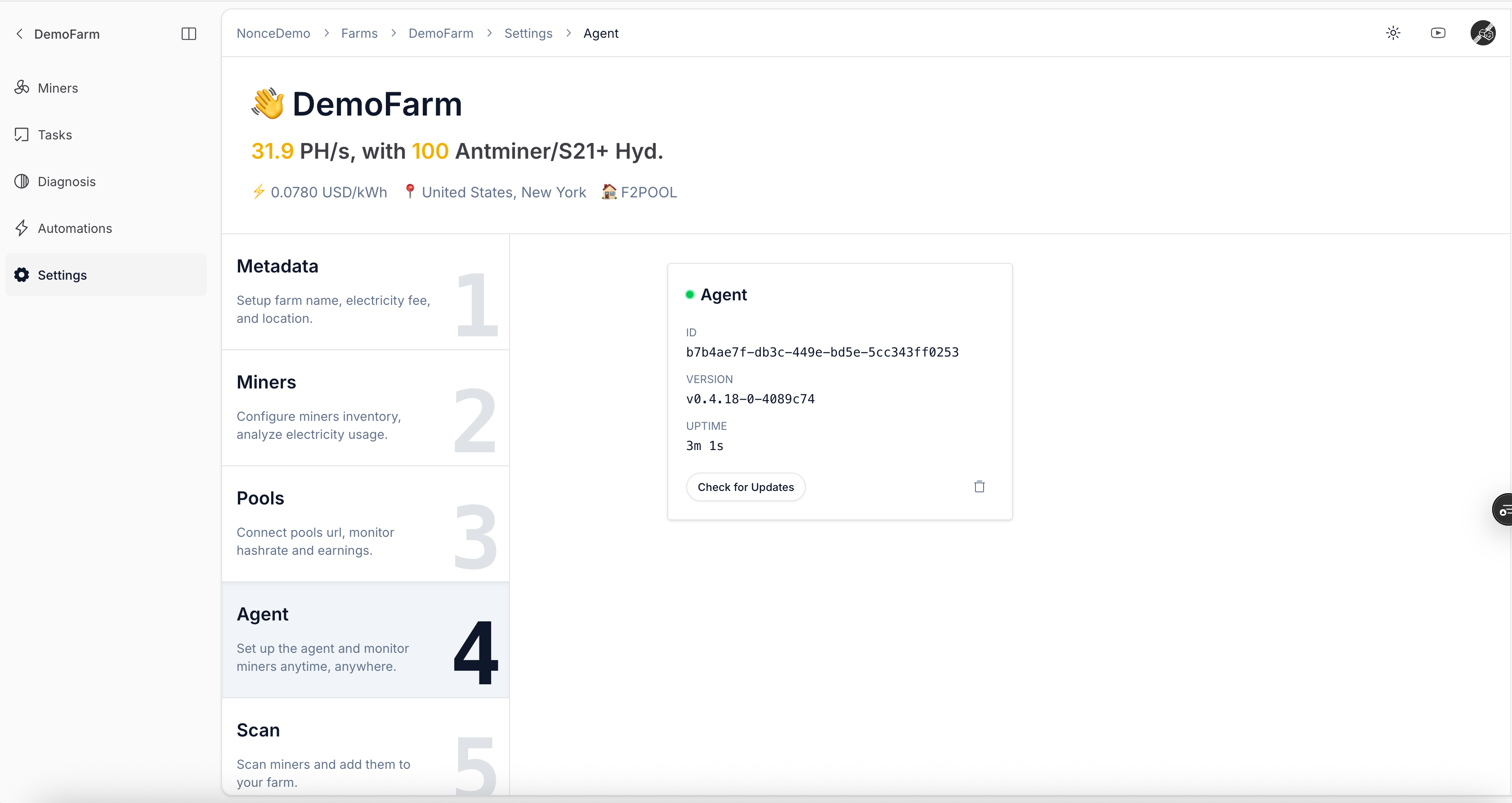
- After the command finishes successfully, return to the wizard and click confirm.
- Wait a few minutes for Agent to report version, uptime, and connection status.