

Overheated
On the Miners page, use the left filter panel to quickly locate overheated miners.Steps
- Method 1: Open the left filter panel, expand the Temperature section, and set the Min threshold (e.g., 80°C) to filter overheated miners.
- Method 2: In the Performance section of the filter panel, click the Overheated tag to locate overheated miners instantly.
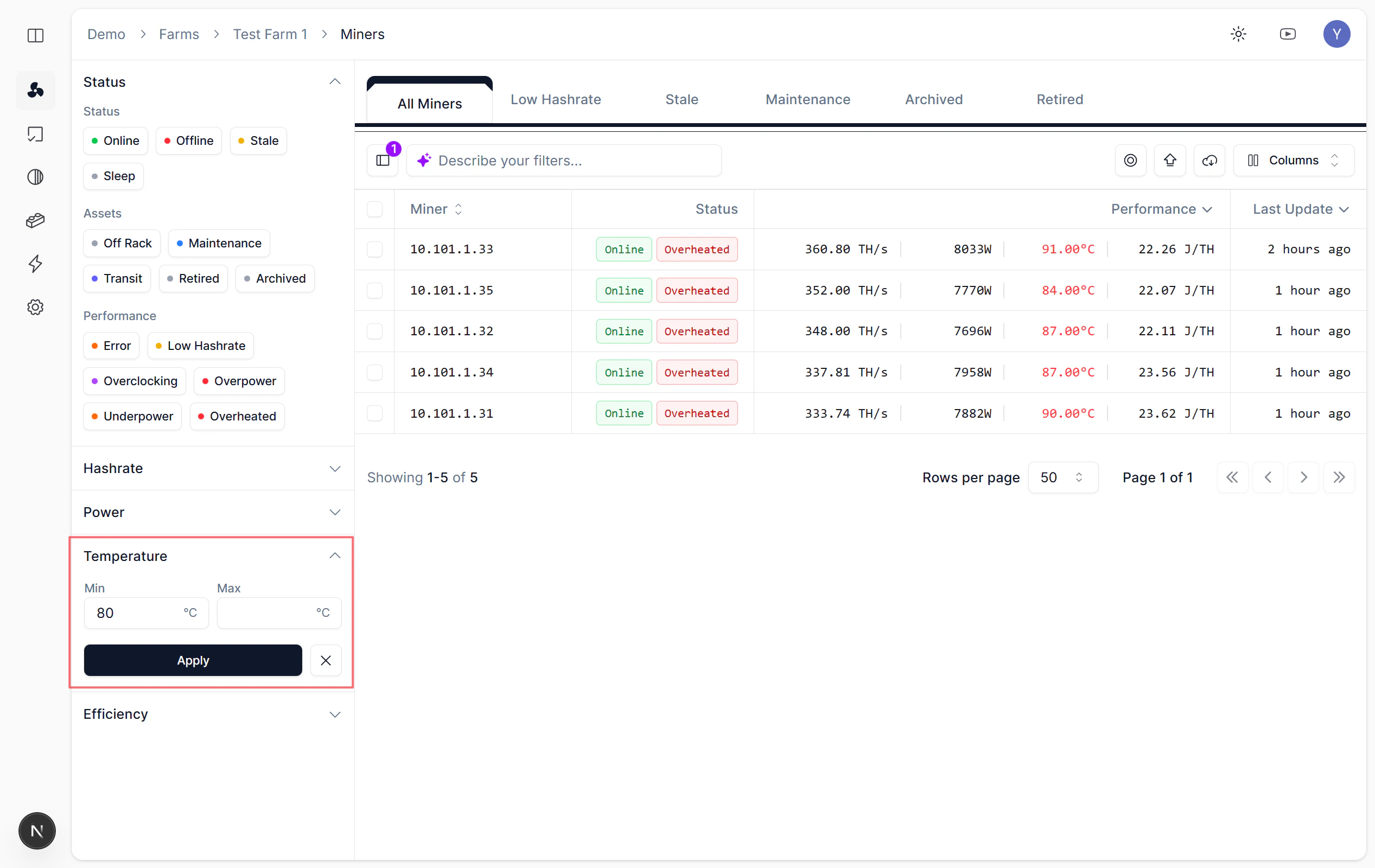
Query overheated miners via Temperature panel
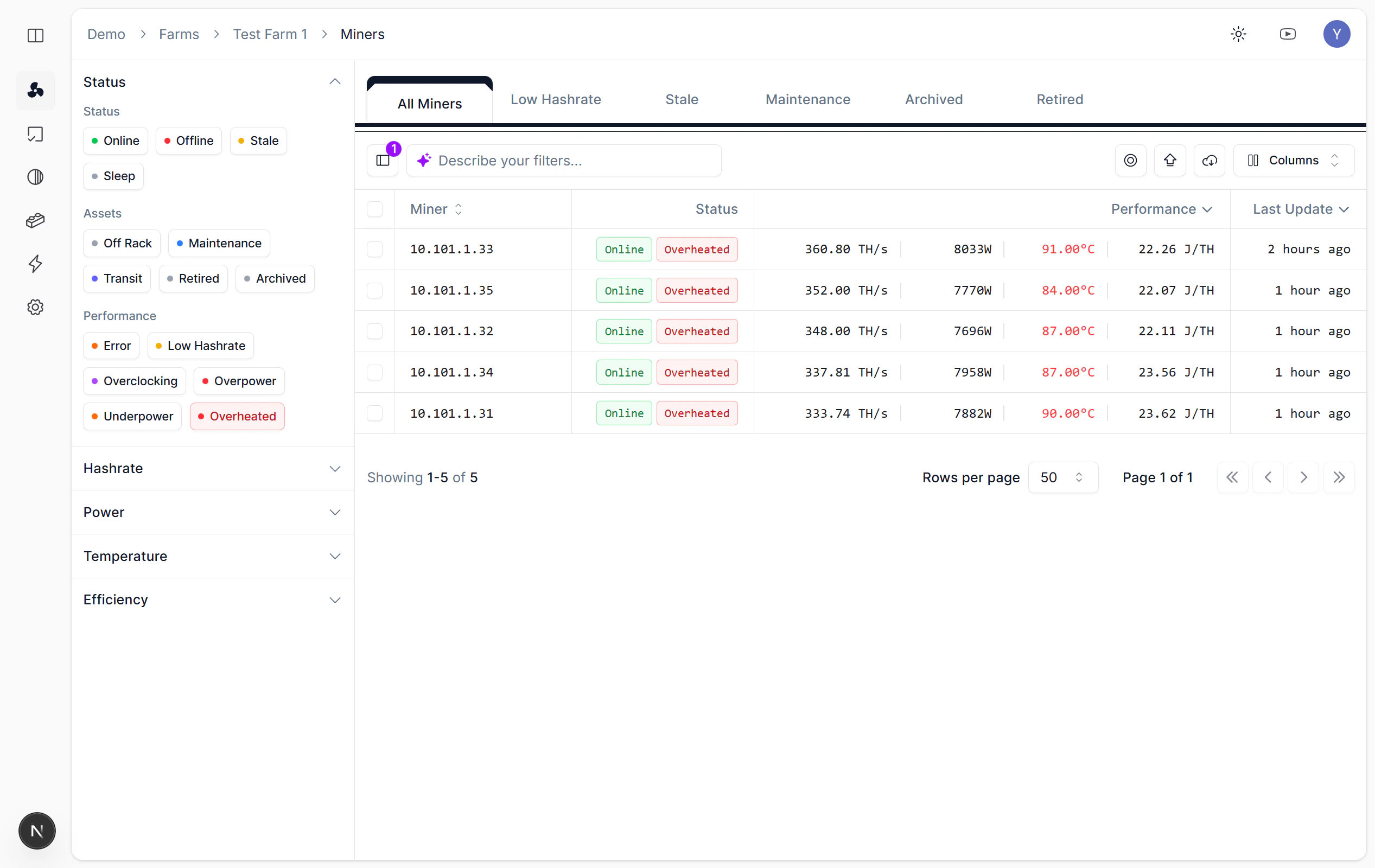
Click Overheated tag to locate quickly
Zero Hashrate
Overview
A miner shows Zero Hashrate when it reports no hashing output at all, even though the Nonce Agent can still reach it. This differs from Offline status, where the Agent loses contact with the miner entirely. Common causes include mining software crashes, pool connection failures, and hash board hardware faults. On the Miners page, use the Hashrate panel to quickly locate zero hashrate miners.Steps
Set Min: 0 and Max: 1 in the Hashrate panel.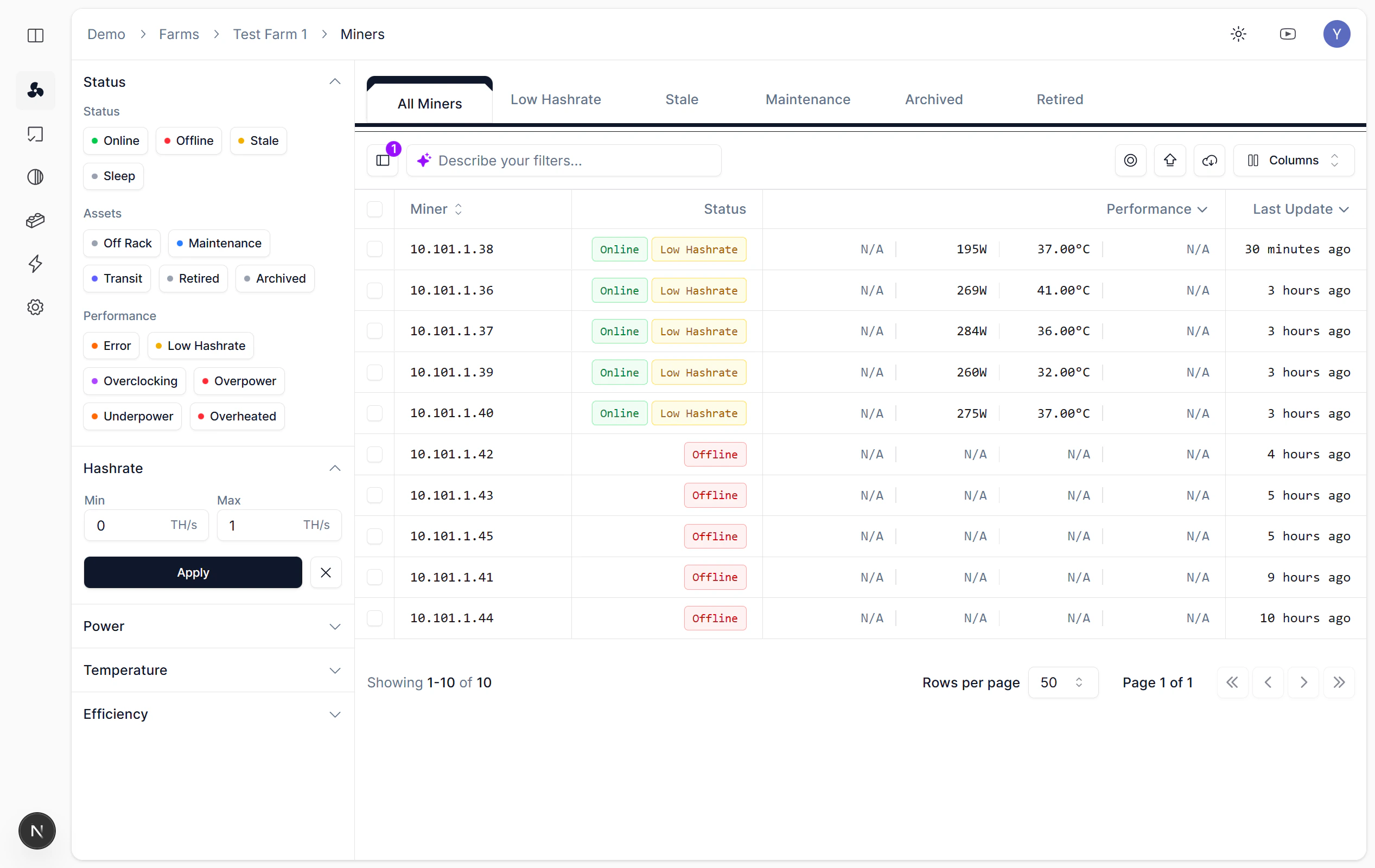
Query zero hashrate miners via Hashrate panel
What to Do Next
After locating zero-hashrate miners, check pool configuration and network connectivity on the miner detail page. A reboot often resolves software-level crashes. If the miner remains at zero hashrate after rebooting, inspect hash board status for hardware faults that require on-site attention.Low Hashrate
Overview
A miner reports Low Hashrate when its output falls below the expected rate for its model. Common causes include overheating, aging hash boards, firmware bugs, and unstable power supply. Identifying these miners early prevents prolonged revenue loss. On the Miners page, use the Performance tags to quickly locate low hashrate miners.Steps
Select the Low Hashrate status tag in the Performance section.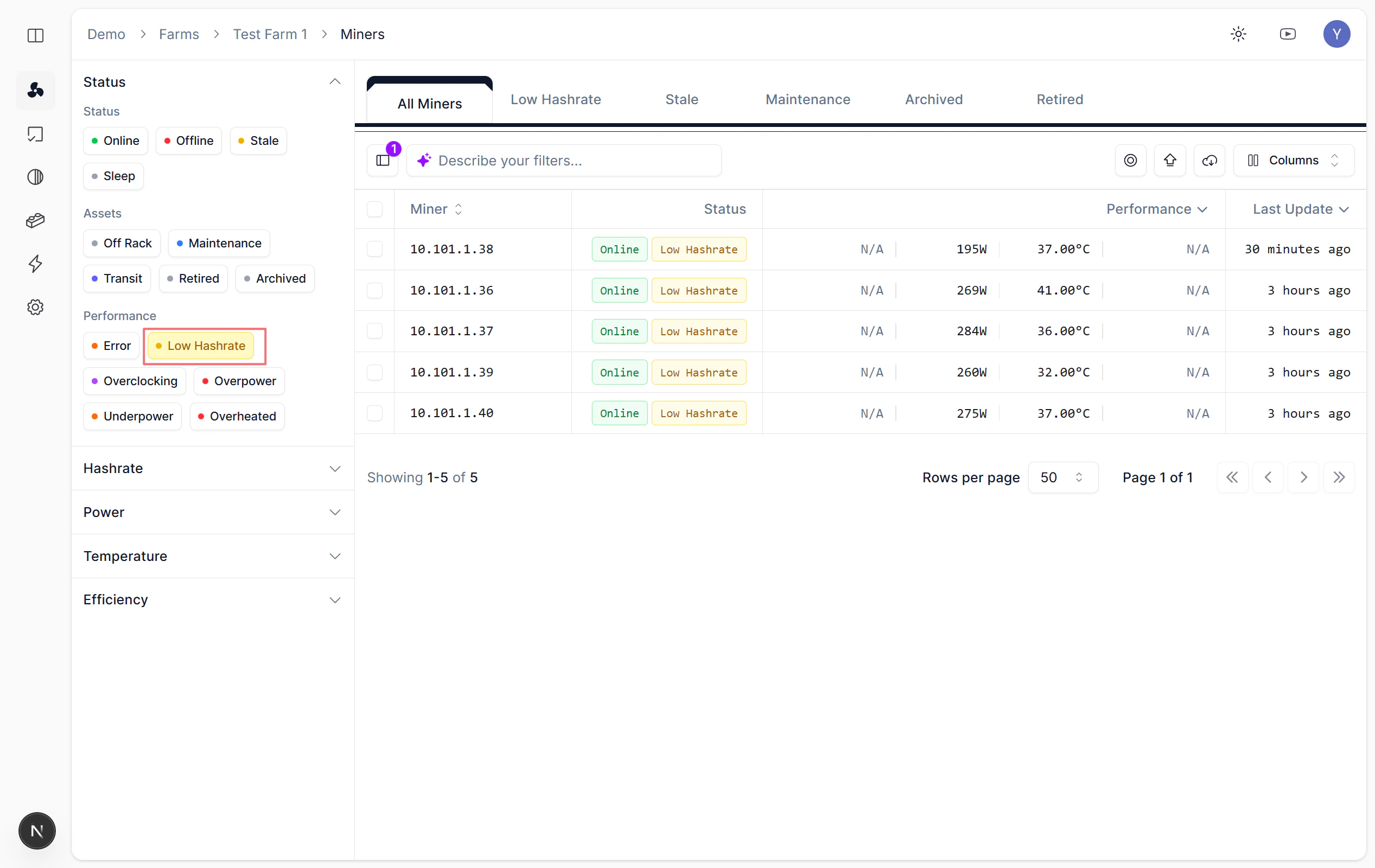
Query low hashrate miners via Low Hashrate tag
What to Do Next
After locating low-hashrate miners, check each unit’s temperature, fan speed, and hash board status on the miner detail page. Reboot the miner if the drop appeared suddenly. For persistent low hashrate, inspect the physical unit for dust buildup, loose cables, or failing hash boards.Offline
Overview
A miner is Offline when the Nonce Agent cannot reach it over the network. This typically indicates a network disruption, power outage, or complete hardware failure. Offline miners produce no hashrate and generate no telemetry until connectivity is restored. On the Miners page, use the Status panel to quickly locate offline miners.Steps
Select Offline in the Status panel.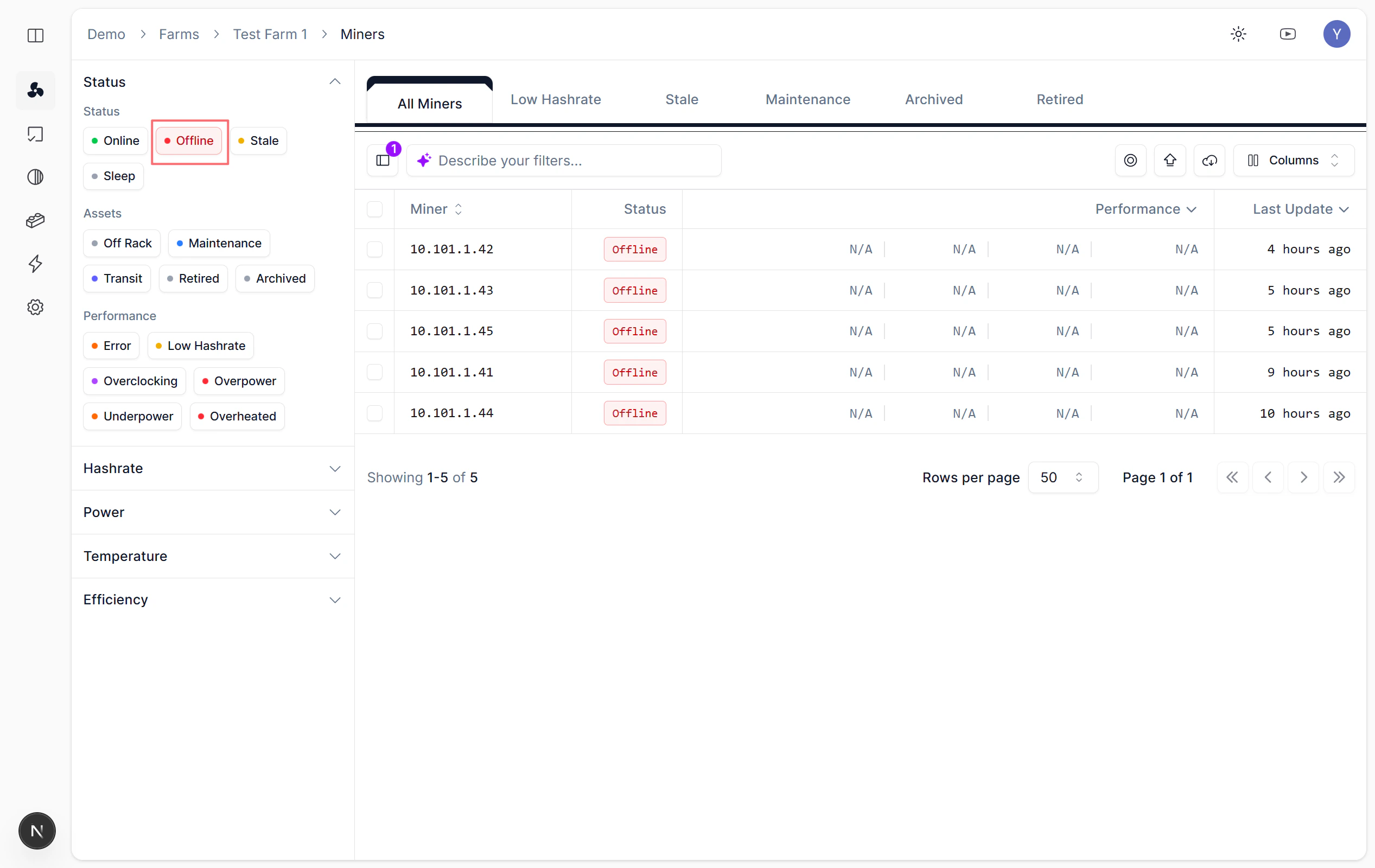
Query offline miners
What to Do Next
After identifying offline miners, verify network connectivity and power supply at the physical location. Check whether nearby miners in the same rack or switch are also offline, which may point to a shared infrastructure issue. Once the miner is back online, the Agent resumes data collection automatically.Fan Abnormal
Multiple Filters
Overview
Combining multiple filter conditions narrows results to miners that match all selected criteria at once. This is useful for complex troubleshooting scenarios where a single filter returns too many results. For example, filter by the Overheat performance tag and a specific Rack to find all overheating miners in one physical location. Or combine a hashrate range with a Model filter to isolate underperforming units of a particular hardware generation.Usage
On the Miners page, combine multiple filter conditions in the left panel to locate problem miners.Multi-filter query demo video