API Key 认证
所有 Nonce 私有 API 请求都需要使用 Machine API Key 进行认证,通过 Authorization 请求头传递。
请求头格式
使用标准的 Bearer Token 格式:
curl -X GET "https://api.nonce.app/private-api/v1/{workspace_id}/farms" \
  -H "Authorization: Bearer your_api_key_here"
获取 API Key
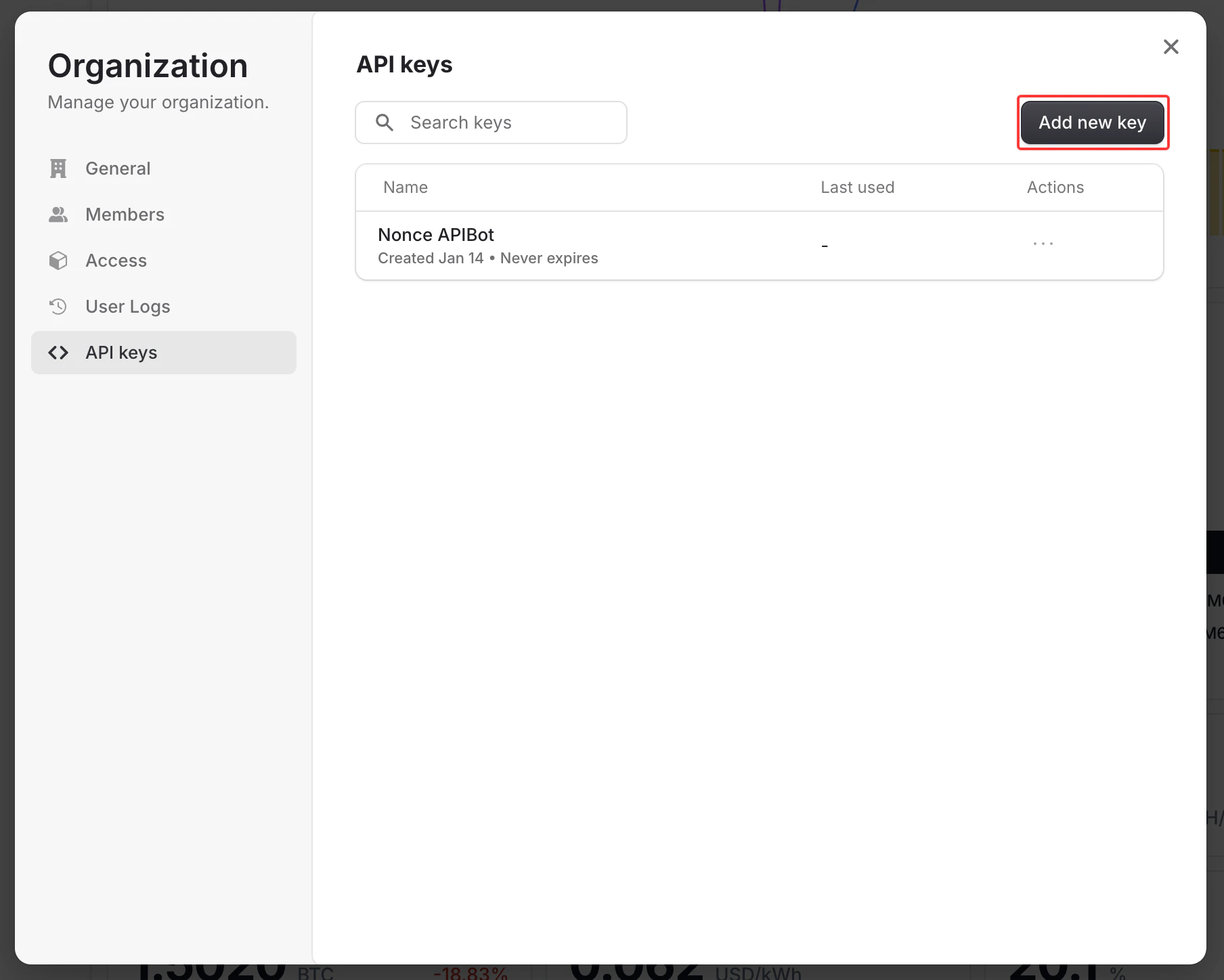
您可以直接从 Nonce 控制台生成 API Key:
- 登录 Nonce 控制台
- 导航到您想要通过 API 访问的工作区
- 进入 Organization → Manage → API Keys
- 点击 Create API Key 并提供一个描述性名称
- 复制并安全存储生成的密钥(密钥只会显示一次)
API Key 的作用域限定于特定工作区。请确保从正确的工作区生成密钥,该工作区应与您 API 请求中的 workspace_id 匹配。
认证错误
| 状态码 | 错误 | 描述 |
|---|
| 401 | Unauthorized | 缺少或无效的 Authorization 请求头 |
| 401 | Unauthorized | 无效、已撤销或已过期的 API Key |
| 403 | Forbidden | API Key 没有此工作区的访问权限 |
错误响应示例
{
  "statusCode": 401,
  "message": "Invalid or missing API key",
  "error": "Unauthorized"
}
安全最佳实践
- 切勿在客户端代码中暴露您的 API Key
- 将 API Key 存储在环境变量中
- 定期轮换您的 API Key
- 为不同环境(开发、生产)使用独立的 API Key
- 立即从控制台撤销未使用或已泄露的密钥