API Key Authentication
All Nonce Private API requests require authentication using a Machine API Key passed in the Authorization header.
Use the standard Bearer token format:
curl -X GET "https://api.nonce.app/private-api/v1/{workspace_id}/farms" \
  -H "Authorization: Bearer your_api_key_here"
Obtaining an API Key
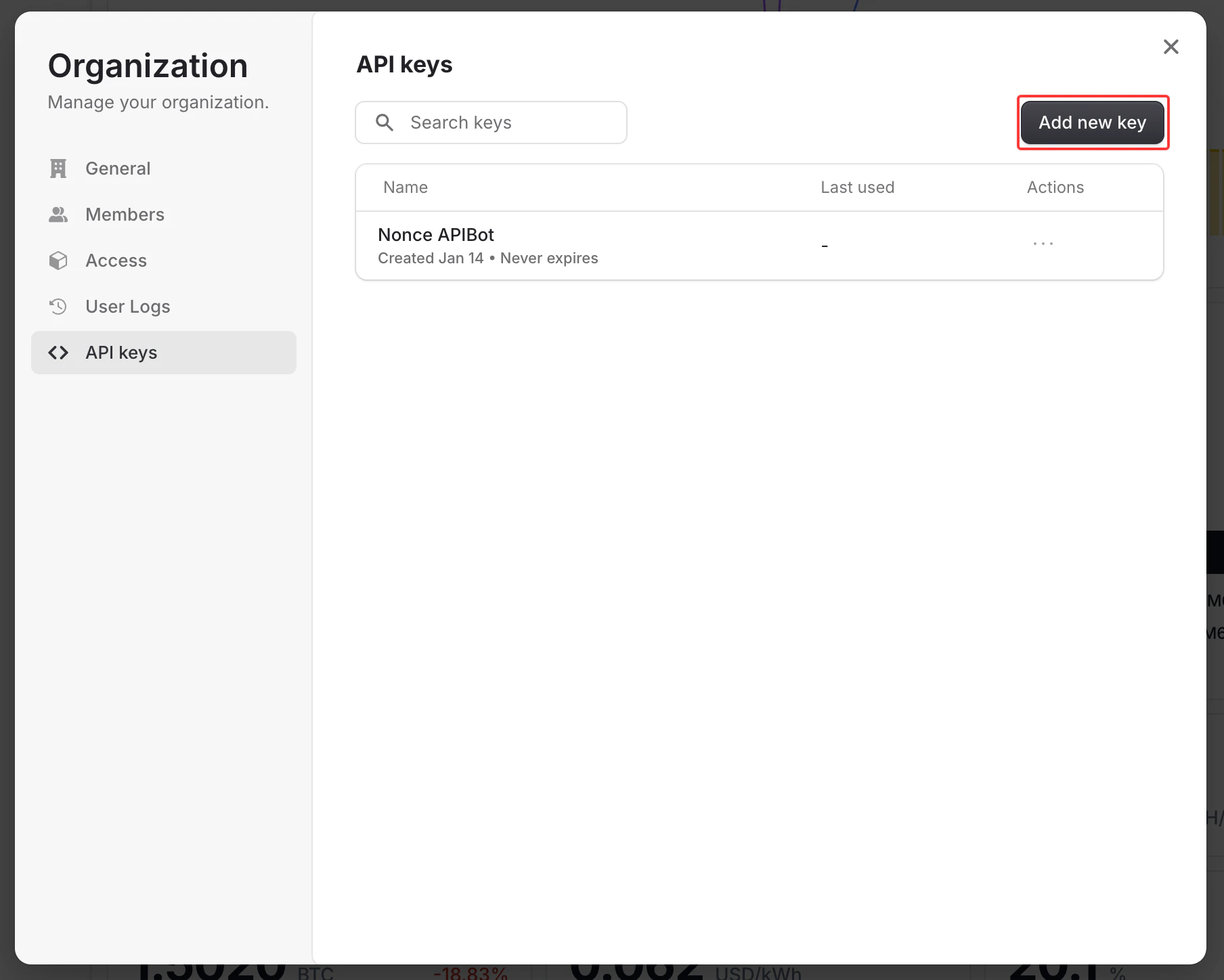
You can generate API keys directly from the Nonce Dashboard:
- Log in to Nonce Dashboard
- Navigate to the Workspace you want to access via API
- Go to Organization → Manage → API Keys
- Click Create API Key and provide a descriptive name
- Copy and securely store the generated key (it will only be shown once)
API keys are scoped to a specific Workspace. Make sure to generate the key from the correct Workspace that matches the workspace_id in your API requests.
Authentication Errors
| Status Code | Error | Description |
|---|
| 401 | Unauthorized | Missing or invalid Authorization header |
| 401 | Unauthorized | Invalid, revoked, or expired API key |
| 403 | Forbidden | API key does not have permission for this Workspace |
Example Error Response
{
  "statusCode": 401,
  "message": "Invalid or missing API key",
  "error": "Unauthorized"
}
Security Best Practices
- Never expose your API key in client-side code
- Store API keys in environment variables
- Rotate your API keys periodically
- Use separate API keys for different environments (development, production)
- Revoke unused or compromised keys immediately from the Dashboard