> ## Documentation Index
> Fetch the complete documentation index at: https://docs.nonce.app/llms.txt
> Use this file to discover all available pages before exploring further.
# 超频/降频
> 切换功耗模式:超频、降频、休眠、正常
电费波动或温度过高时,切换功耗模式可平衡算力与成本。
## 操作步骤
批量操作 → 选择「Model」 → 选择目标功耗模式 → 提交。
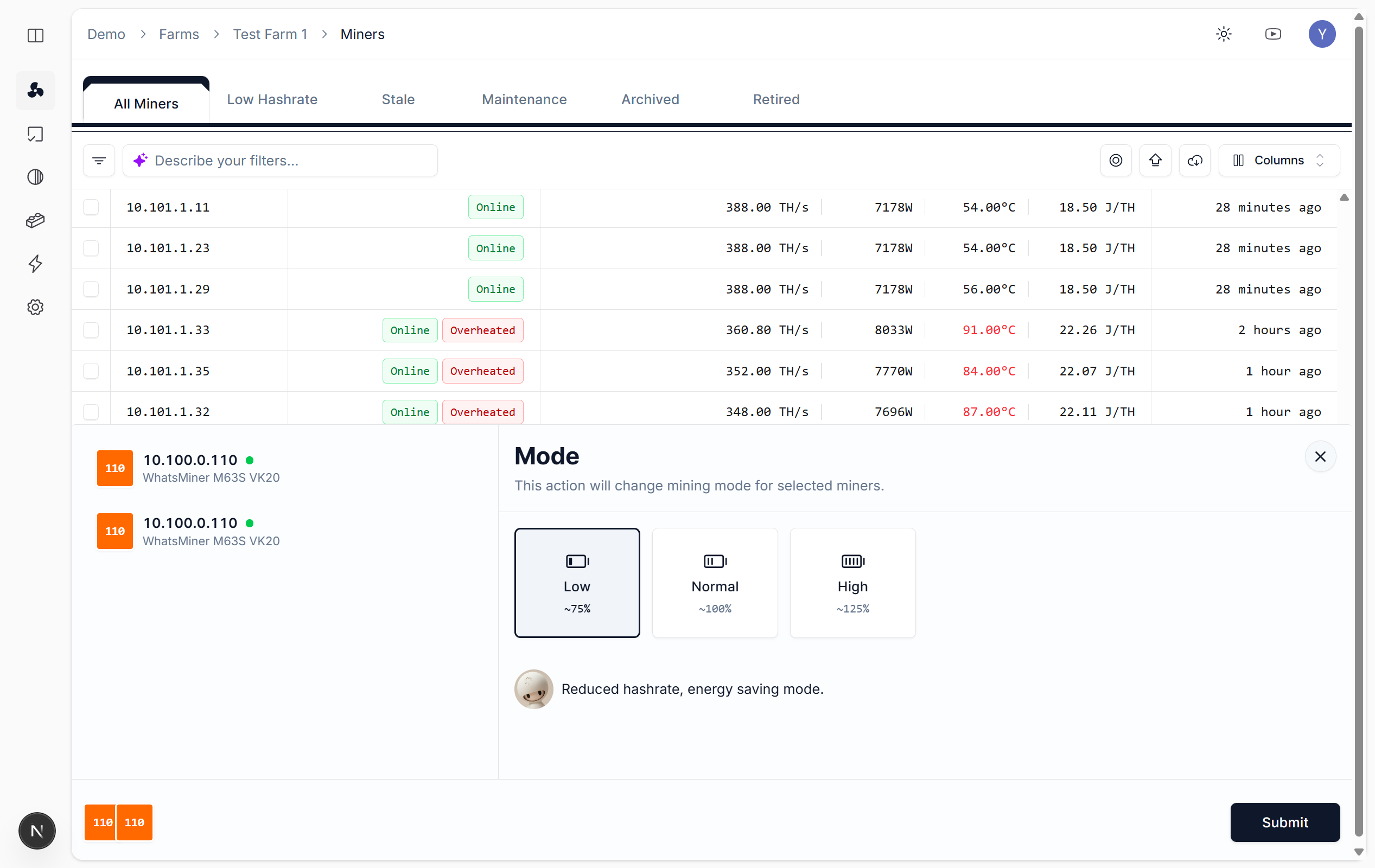 ## 功耗模式说明
| 模式 | 说明 |
| ------ | -------------------- |
| **超频** | 提升算力,功耗与发热增加,需确保散热充足 |
| **正常** | 默认工作模式,平衡算力与稳定性 |
| **降频** | 降低功耗与发热,适用于高温或高电费场景 |
| **休眠** | 最低功耗,算力降至最低,用于临时停机 |
## 操作注意事项
* **高温场景**:建议先降频或切换至正常模式,避免过热损坏
* **批量操作**:勾选矿机后统一切换,可在 [Tasks](https://nonce.app/demo/farms/a28185a3-791f-4057-a318-0b4c156b00d8/tasks) 页面追踪执行结果
* **自动降频**:可配置[超频/降频(自动化)](/zh/user-guide/operations/automation),系统在超温时自动恢复至正常模式
## 功耗模式说明
| 模式 | 说明 |
| ------ | -------------------- |
| **超频** | 提升算力,功耗与发热增加,需确保散热充足 |
| **正常** | 默认工作模式,平衡算力与稳定性 |
| **降频** | 降低功耗与发热,适用于高温或高电费场景 |
| **休眠** | 最低功耗,算力降至最低,用于临时停机 |
## 操作注意事项
* **高温场景**:建议先降频或切换至正常模式,避免过热损坏
* **批量操作**:勾选矿机后统一切换,可在 [Tasks](https://nonce.app/demo/farms/a28185a3-791f-4057-a318-0b4c156b00d8/tasks) 页面追踪执行结果
* **自动降频**:可配置[超频/降频(自动化)](/zh/user-guide/operations/automation),系统在超温时自动恢复至正常模式