> ## Documentation Index
> Fetch the complete documentation index at: https://docs.nonce.app/llms.txt
> Use this file to discover all available pages before exploring further.

# 如何查询高温矿机

> 通过 Temperature 面板或 Overheated 标签快速定位高温矿机

在 [Miners](https://nonce.app/demo/farms/a28185a3-791f-4057-a318-0b4c156b00d8/miners) 页面，通过左侧过滤面板快速定位高温矿机。

## 操作步骤

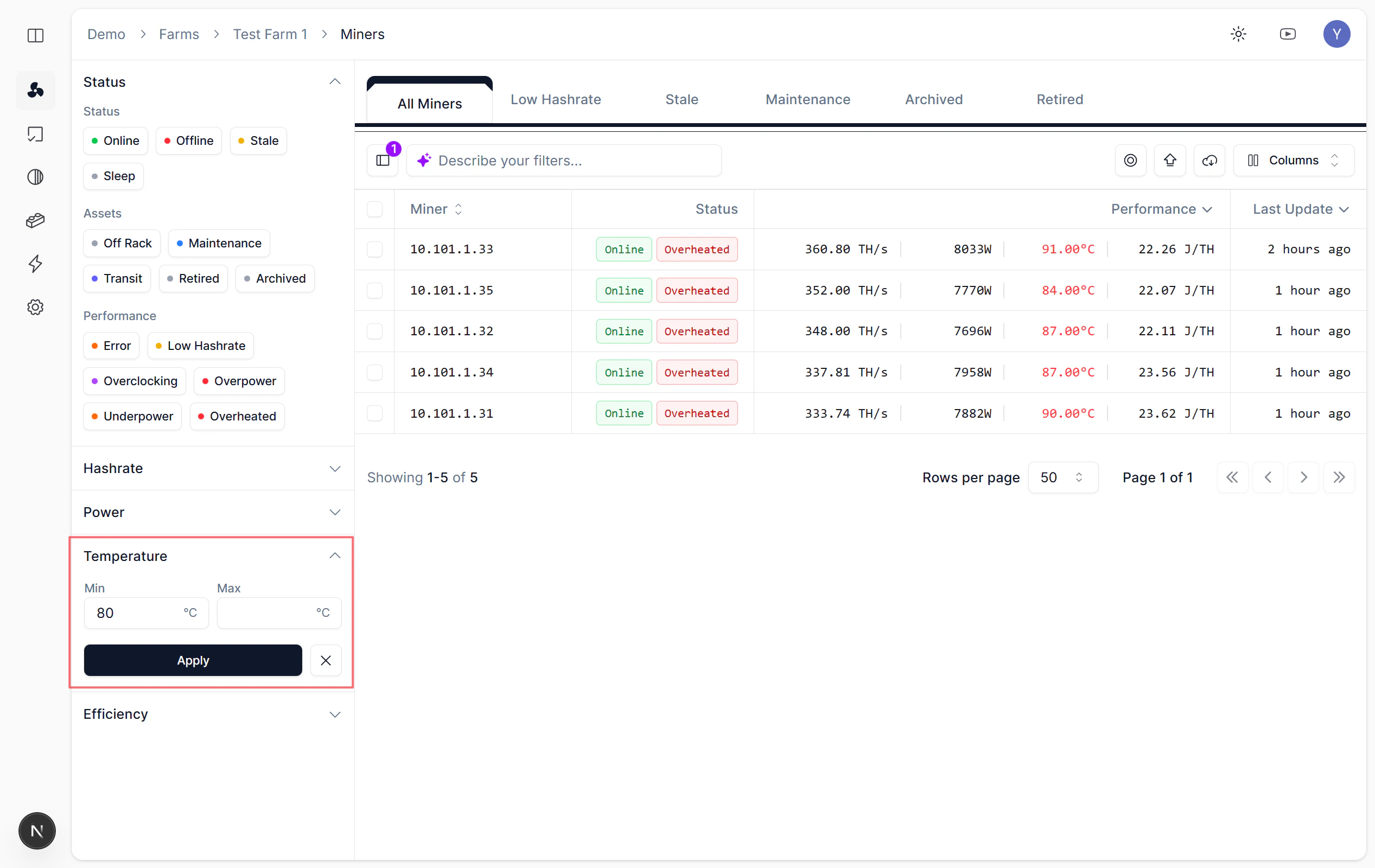
* **方式一**：展开 Temperature 面板，设定 Min 阈值（如 80°C）。
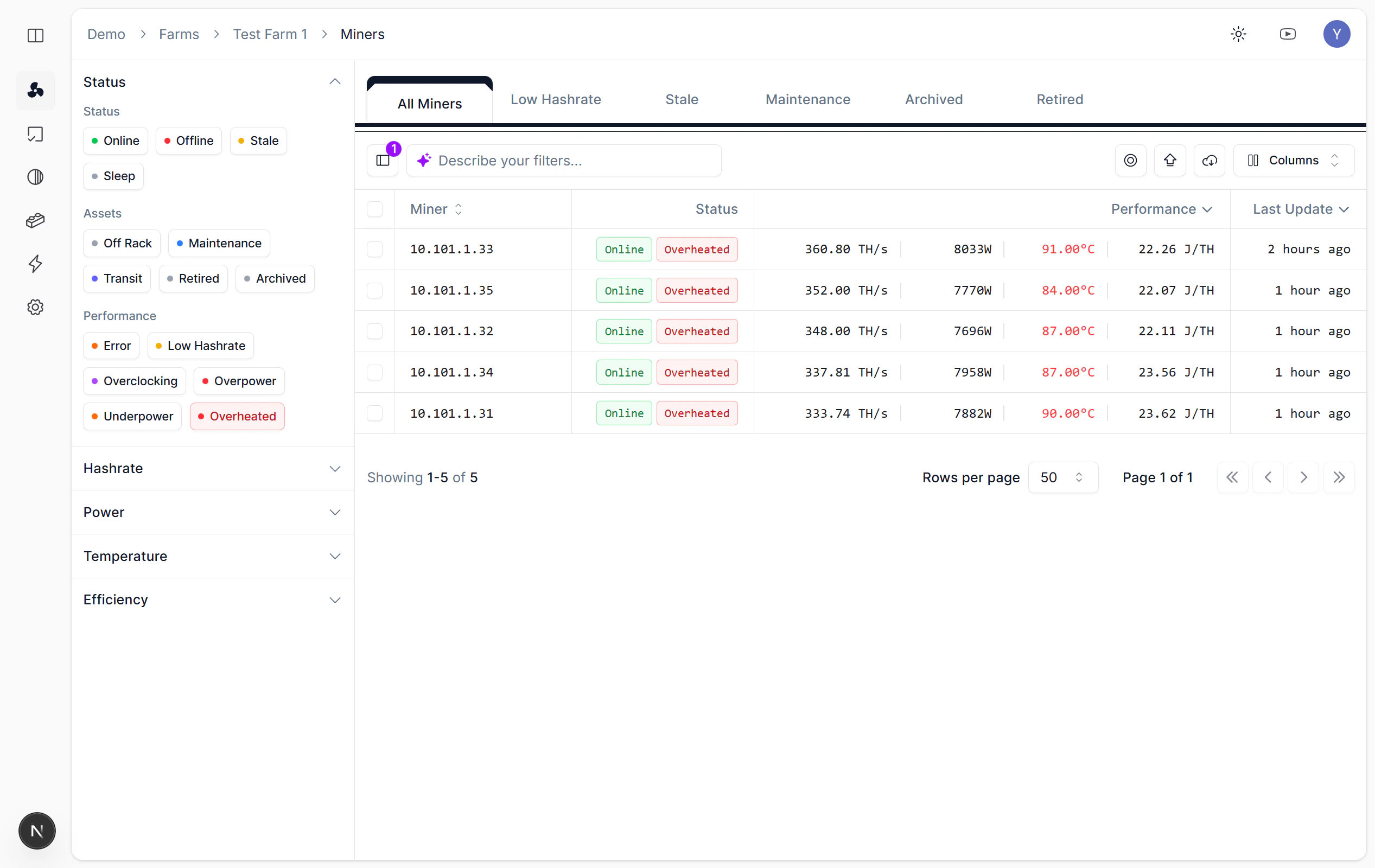
* **方式二**：直接点击 Performance 标签中的「Overheated」。

<Frame caption="通过 Temperature 面板查询高温矿机">
  <img src="https://mintcdn.com/nonce/d9V7X7bPIpeRFAUo/images/operations/temperature-filter.png?fit=max&auto=format&n=d9V7X7bPIpeRFAUo&q=85&s=3805e9c722a5e050fc7855a66c57bdab" alt="Temperature 过滤面板，设定 Min 阈值" width="2534" height="1600" data-path="images/operations/temperature-filter.png" />
</Frame>

<Frame caption="点击 Overheated 标签快速定位">
  <img src="https://mintcdn.com/nonce/d9V7X7bPIpeRFAUo/images/operations/overheated.png?fit=max&auto=format&n=d9V7X7bPIpeRFAUo&q=85&s=89365fb18acd80469a726cd1a15be3c5" alt="Performance 标签中的 Overheated 选项" width="2534" height="1600" data-path="images/operations/overheated.png" />
</Frame>