> ## Documentation Index
> Fetch the complete documentation index at: https://docs.nonce.app/llms.txt
> Use this file to discover all available pages before exploring further.
# 认证
> 了解如何认证您的 API 请求
## API Key 认证
所有 Nonce 私有 API 请求都需要使用 Machine API Key 进行认证,通过 `Authorization` 请求头传递。
### 请求头格式
使用标准的 Bearer Token 格式:
```bash theme={null}
curl -X GET "https://api.nonce.app/private-api/v1/{workspace_id}/farms" \
-H "Authorization: Bearer your_api_key_here"
```
### 获取 API Key
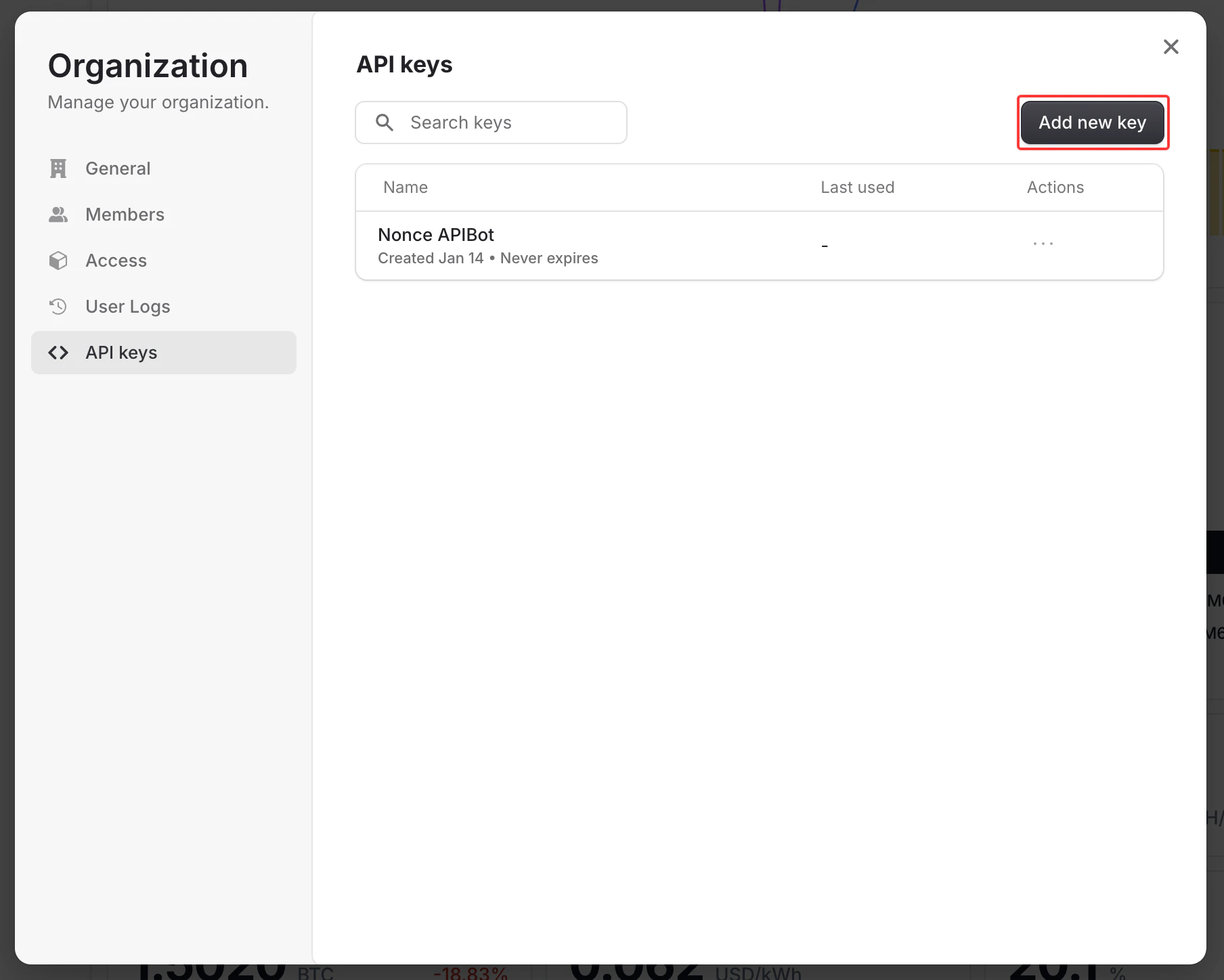
您可以直接从 Nonce 控制台生成 API Key:
1. 登录 [Nonce 控制台](https://nonce.app)
2. 导航到您想要通过 API 访问的工作区
3. 进入 **Organization** → **Manage** → **API Keys**
4. 点击 **Create API Key** 并提供一个描述性名称
5. 复制并安全存储生成的密钥(密钥只会显示一次)
 API Key 的作用域限定于特定工作区。请确保从正确的工作区生成密钥,该工作区应与您 API 请求中的 `workspace_id` 匹配。
### 认证错误
| 状态码 | 错误 | 描述 |
| --- | ------------ | -------------------------- |
| 401 | Unauthorized | 缺少或无效的 `Authorization` 请求头 |
| 401 | Unauthorized | 无效、已撤销或已过期的 API Key |
| 403 | Forbidden | API Key 没有此工作区的访问权限 |
### 错误响应示例
```json theme={null}
{
"statusCode": 401,
"message": "Invalid or missing API key",
"error": "Unauthorized"
}
```
### 安全最佳实践
* 切勿在客户端代码中暴露您的 API Key
* 将 API Key 存储在环境变量中
* 定期轮换您的 API Key
* 为不同环境(开发、生产)使用独立的 API Key
* 立即从控制台撤销未使用或已泄露的密钥
API Key 的作用域限定于特定工作区。请确保从正确的工作区生成密钥,该工作区应与您 API 请求中的 `workspace_id` 匹配。
### 认证错误
| 状态码 | 错误 | 描述 |
| --- | ------------ | -------------------------- |
| 401 | Unauthorized | 缺少或无效的 `Authorization` 请求头 |
| 401 | Unauthorized | 无效、已撤销或已过期的 API Key |
| 403 | Forbidden | API Key 没有此工作区的访问权限 |
### 错误响应示例
```json theme={null}
{
"statusCode": 401,
"message": "Invalid or missing API key",
"error": "Unauthorized"
}
```
### 安全最佳实践
* 切勿在客户端代码中暴露您的 API Key
* 将 API Key 存储在环境变量中
* 定期轮换您的 API Key
* 为不同环境(开发、生产)使用独立的 API Key
* 立即从控制台撤销未使用或已泄露的密钥