> ## Documentation Index
> Fetch the complete documentation index at: https://docs.nonce.app/llms.txt
> Use this file to discover all available pages before exploring further.
# Power
> Switch power mode: overclock, underclock, sleep, normal
Switch power mode to balance hashrate and cost when electricity prices change or temperatures are high.
## Steps
Batch operations → Select **Model** → Choose target power mode → Submit.
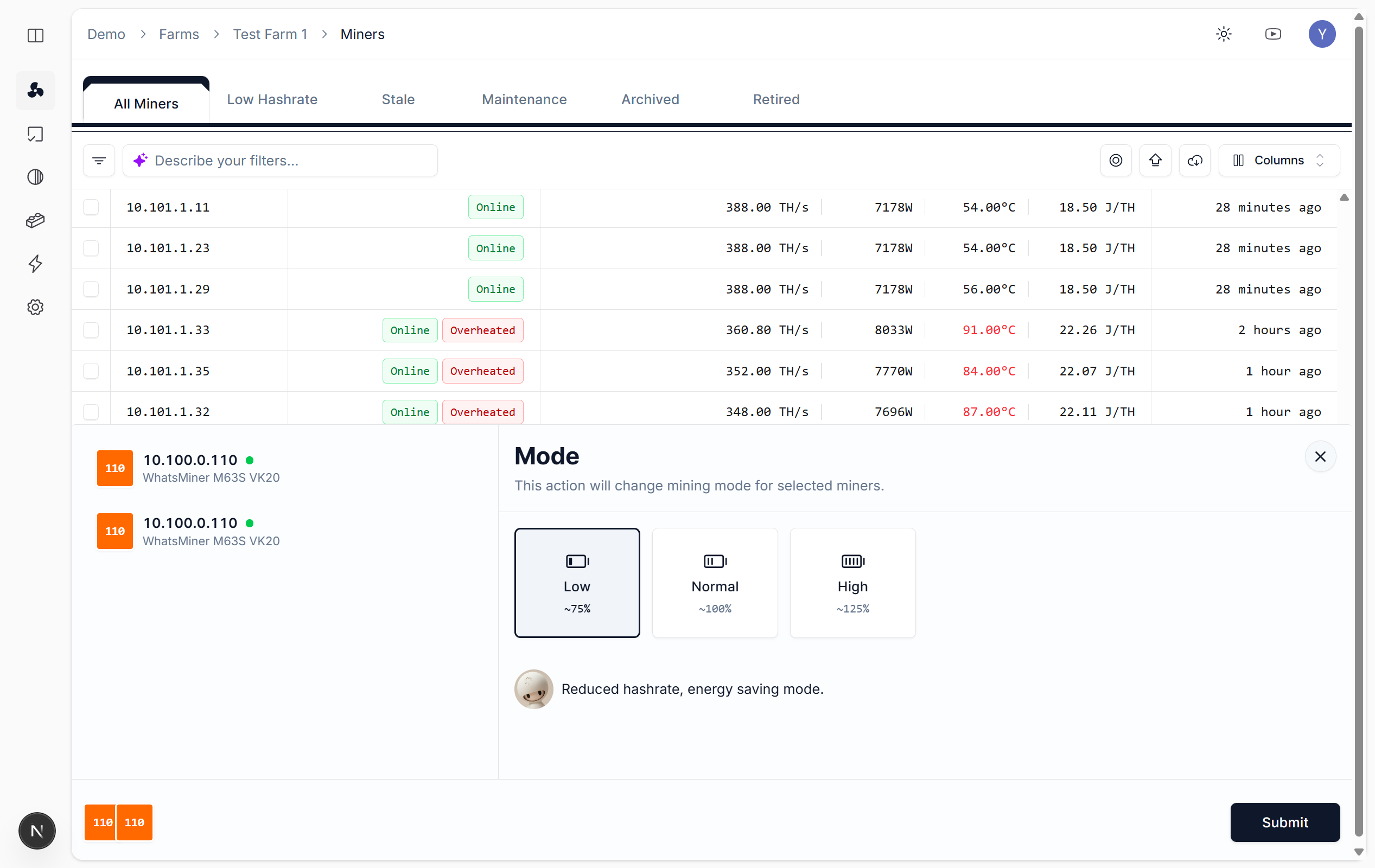 ## Power Modes
| Mode | Description |
| -------------- | -------------------------------------------------------------- |
| **Overclock** | Higher hashrate, more power and heat; ensure adequate cooling |
| **Normal** | Default mode, balanced hashrate and stability |
| **Underclock** | Lower power and heat, for high temps or high electricity costs |
| **Sleep** | Minimal power and hashrate, for temporary shutdown |
## Notes
* **High temp**: Prefer underclock or normal to avoid overheating
* **Batch operations**: Select miners and switch together; track results in [Tasks](https://nonce.app/demo/farms/a28185a3-791f-4057-a318-0b4c156b00d8/tasks)
* **Auto underclock**: Configure [Overclock/Underclock (Automation)](/user-guide/operations/automation) for automatic recovery to normal when over temp
## Power Modes
| Mode | Description |
| -------------- | -------------------------------------------------------------- |
| **Overclock** | Higher hashrate, more power and heat; ensure adequate cooling |
| **Normal** | Default mode, balanced hashrate and stability |
| **Underclock** | Lower power and heat, for high temps or high electricity costs |
| **Sleep** | Minimal power and hashrate, for temporary shutdown |
## Notes
* **High temp**: Prefer underclock or normal to avoid overheating
* **Batch operations**: Select miners and switch together; track results in [Tasks](https://nonce.app/demo/farms/a28185a3-791f-4057-a318-0b4c156b00d8/tasks)
* **Auto underclock**: Configure [Overclock/Underclock (Automation)](/user-guide/operations/automation) for automatic recovery to normal when over temp