> ## Documentation Index
> Fetch the complete documentation index at: https://docs.nonce.app/llms.txt
> Use this file to discover all available pages before exploring further.
# Low Hashrate
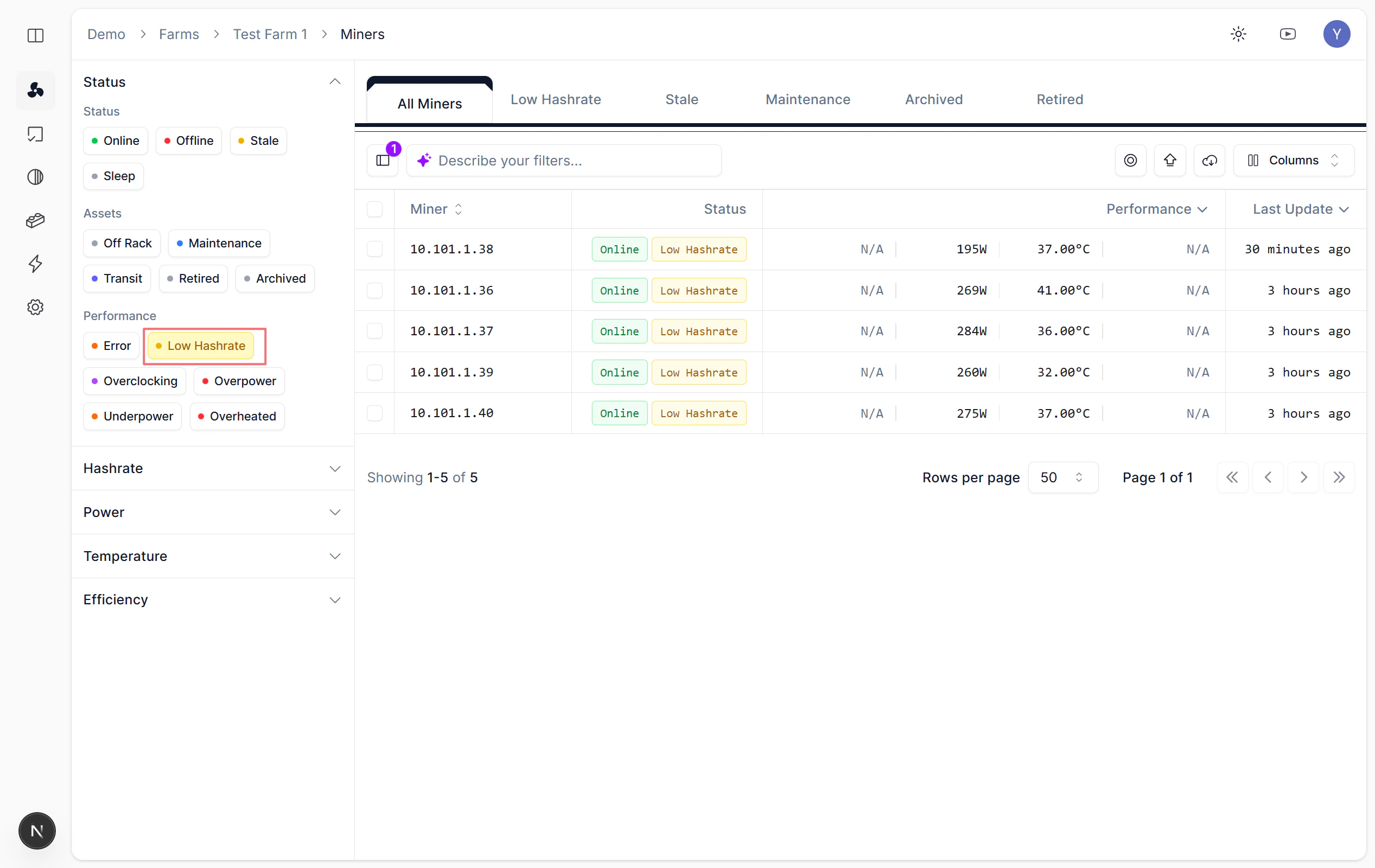
> Select Low Hashrate status tag to query
On the [Miners](https://nonce.app/demo/farms/a28185a3-791f-4057-a318-0b4c156b00d8/miners) page, use the Performance tags to quickly locate low hashrate miners.
## Steps
Select the **Low Hashrate** status tag in the Performance section.