> ## Documentation Index
> Fetch the complete documentation index at: https://docs.nonce.app/llms.txt
> Use this file to discover all available pages before exploring further.
# Enter Farm Basic Information
> Configure farm name, region, and optional cost metadata
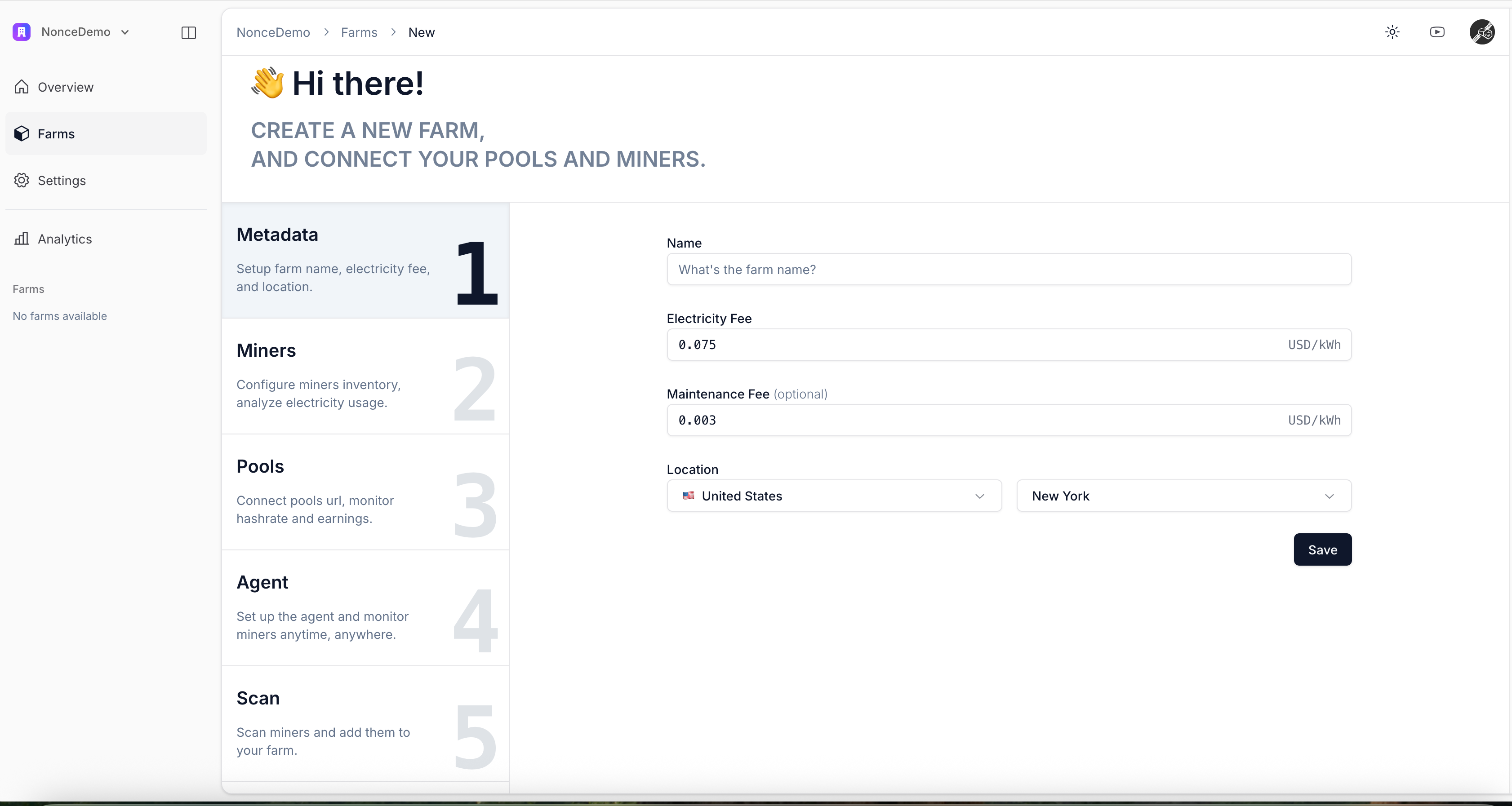
Use this guide while setting up a farm.
* Give the farm a clear name and select a region matching its physical location.
* (Optional) Add tags, electricity cost, or maintenance fees to reflect actual operating costs in reports.
* Click **Save** to proceed to the next step.
Electricity and maintenance costs help Nonce estimate operating expenses and mining profitability.
 Continue to [Select Miner Model and Quantity](/user-guide/onboarding/create-a-farm-select-miner-model-and-quantity).