> ## Documentation Index
> Fetch the complete documentation index at: https://docs.nonce.app/llms.txt
> Use this file to discover all available pages before exploring further.
# Authentication
> Learn how to authenticate your API requests
## API Key Authentication
All Nonce Private API requests require authentication using a Workspace API Key passed in the `Authorization` header.
### Header Format
Use the standard Bearer token format:
```bash theme={null}
curl -X GET "https://api.nonce.app/private-api/v1/{workspace_id}/farms" \
-H "Authorization: Bearer your_api_key_here"
```
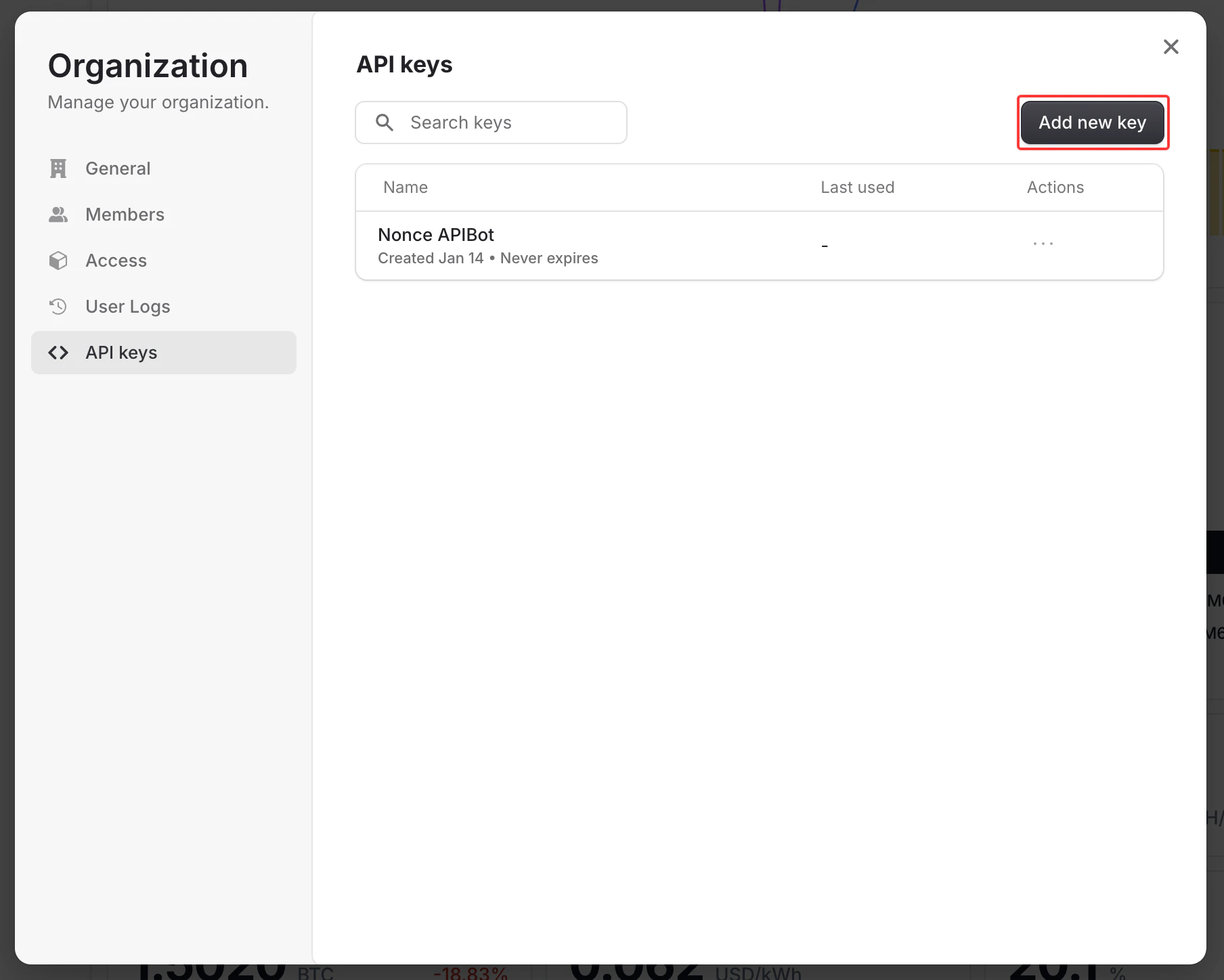
### Obtaining an API Key
You can generate API keys directly from the Nonce Dashboard:
1. Log in to [Nonce Dashboard](https://nonce.app)
2. Navigate to the Workspace you want to access via API
3. Go to **Organization** → **Manage** → **API Keys**
4. Click **Create API Key** and provide a descriptive name
5. Copy and securely store the generated key (it will only be shown once)
 API keys are scoped to a specific Workspace. Make sure to generate the key from the correct Workspace that matches the `workspace_id` in your API requests.
### Authentication Errors
| Status Code | Error | Description |
| ----------- | ------------ | --------------------------------------------------- |
| 401 | Unauthorized | Missing or invalid `Authorization` header |
| 401 | Unauthorized | Invalid, revoked, or expired API key |
| 403 | Forbidden | API key does not have permission for this Workspace |
### Example Error Response
```json theme={null}
{
"success": false,
"data": null,
"error": {
"code": "UNAUTHORIZED",
"message": "Invalid or missing API key",
"traceId": "92c47a3f5c1e4b28a6d0f9e83b7c5d12"
}
}
```
### Security Best Practices
* Never expose your API key in client-side code
* Store API keys in environment variables
* Rotate your API keys periodically
* Use separate API keys for different environments (development, production)
* Revoke unused or compromised keys immediately from the Dashboard
API keys are scoped to a specific Workspace. Make sure to generate the key from the correct Workspace that matches the `workspace_id` in your API requests.
### Authentication Errors
| Status Code | Error | Description |
| ----------- | ------------ | --------------------------------------------------- |
| 401 | Unauthorized | Missing or invalid `Authorization` header |
| 401 | Unauthorized | Invalid, revoked, or expired API key |
| 403 | Forbidden | API key does not have permission for this Workspace |
### Example Error Response
```json theme={null}
{
"success": false,
"data": null,
"error": {
"code": "UNAUTHORIZED",
"message": "Invalid or missing API key",
"traceId": "92c47a3f5c1e4b28a6d0f9e83b7c5d12"
}
}
```
### Security Best Practices
* Never expose your API key in client-side code
* Store API keys in environment variables
* Rotate your API keys periodically
* Use separate API keys for different environments (development, production)
* Revoke unused or compromised keys immediately from the Dashboard