

API Key Authentication
All Nonce Private API requests require authentication using a Workspace API Key passed in theAuthorization header.
Header Format
Use the standard Bearer token format:Obtaining an API Key
You can generate API keys directly from the Nonce Dashboard:- Log in to Nonce Dashboard
- Navigate to the Workspace you want to access via API
- Go to Organization → Manage → API Keys
- Click Create API Key and provide a descriptive name
- Copy and securely store the generated key (it will only be shown once)
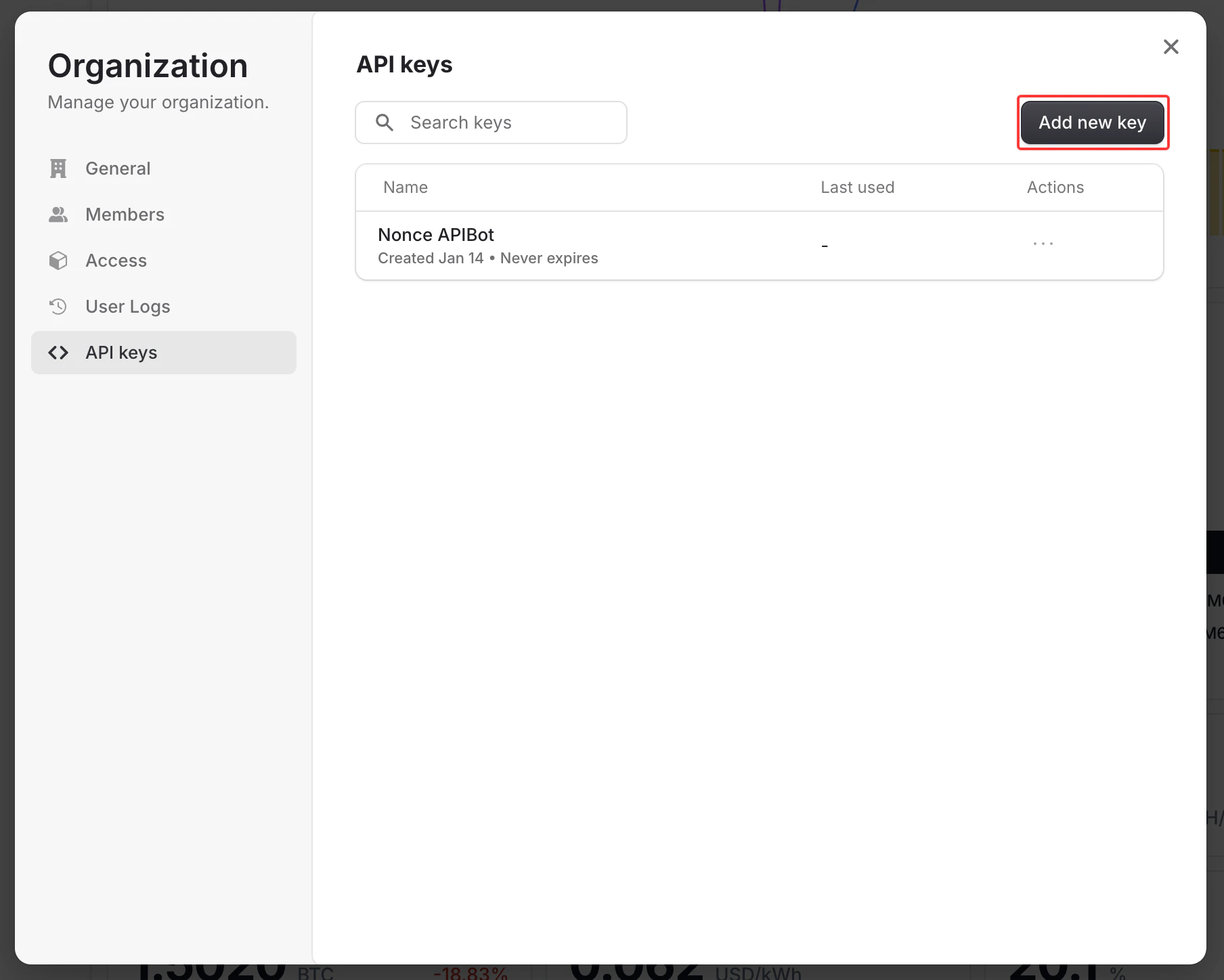
Create API Key from Dashboard
Authentication Errors
Example Error Response
Security Best Practices
- Never expose your API key in client-side code
- Store API keys in environment variables
- Rotate your API keys periodically
- Use separate API keys for different environments (development, production)
- Revoke unused or compromised keys immediately from the Dashboard